
Download Memosa – AI‑Powered Note‑Taking, Transcription & Content Creation Tool
Overview
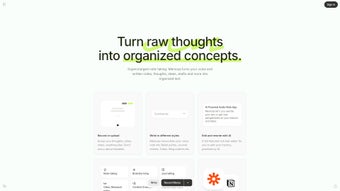
Memosa is a forward‑thinking web application that turns the chaotic flow of human thought into clean, editable text using state‑of‑the‑art artificial intelligence. Whether you are a writer brainstorming a novel, a marketer drafting quick social‑media posts, a student capturing lecture ideas, or a busy professional compiling to‑do lists, Memosa provides a frictionless bridge between spoken word and written content. The platform’s core promise is simplicity: you press “record,” speak naturally, and the AI instantly transcribes, formats, and offers rewrite suggestions—all within a rich‑text editor that feels familiar yet powerful.
Beyond basic transcription, Memosa lets you export the output into multiple ready‑to‑publish formats such as tweets, journal entries, or structured bullet‑point lists. Integrated rewriting tools give fresh perspectives, helping you refine tone, style, or even generate alternative angles on a single idea. Moreover, Memosa connects with productivity ecosystems like Zapier and Notion, enabling automated workflows that push newly created content directly into your favorite knowledge bases or task managers.
In short, Memosa streamlines the creative pipeline, saving time, reducing mental friction, and letting you focus on the substance of your ideas rather than the mechanics of typing them out.
Key Features & How to Get Started
- AI‑Driven Speech‑to‑Text Engine with high‑accuracy language models.
- Multi‑format export options: tweets (280‑character limit), journal entries, markdown, plain text, and to‑do lists.
- Rich text editor that supports styling, headings, bullet points, and inline comments.
- Intelligent rewriting module that suggests alternative phrasings, tone adjustments, and perspective shifts.
- One‑click integration with Zapier, Notion, Google Docs, and Slack for seamless workflow automation.
- Secure cloud storage with end‑to‑end encryption for all transcribed content.
- Version history and undo/redo capabilities for safe editing.
- Customizable hotkeys and voice commands for power users.
Installation & First‑Time Use
Getting started with Memosa is intentionally straightforward because the service lives entirely in the browser. Follow these steps to begin turning thoughts into text:
- Create an account: Visit Memosa.com and sign up using your email or a Google/Apple single‑sign‑on. A verification email ensures your account remains secure.
- Grant microphone access: The first time you launch the recorder, the browser will request permission to use your microphone. Approve this prompt to enable voice capture.
- Configure preferences: In the Settings panel, choose your preferred language model (Standard, Professional, or Creative), set the default export format, and link any external services (Zapier, Notion, etc.) you wish to use.
- Start recording: Click the red “Record” button or press the assigned hotkey. Speak naturally; Memosa’s AI automatically detects pauses and punctuation, producing a near‑real‑time transcript.
- Edit and refine: Once the recording stops, the transcript appears in the rich‑text editor. Use the toolbar to format, add headings, or highlight sections. If you need a fresh angle, click “Rewrite” and select the desired tone (e.g., casual, professional, persuasive).
- Export or automate: Choose “Export” to download a file, copy to clipboard, or push directly to a linked app via Zapier. For recurring workflows, set up a Zap that sends new notes to a Notion database automatically.
Because Memosa is web‑based, there is no heavy installer, and updates happen instantly on the server side. All you need is a modern browser (Chrome, Edge, Firefox, or Safari) and a stable internet connection. Mobile users can also access the platform via responsive design, though the full suite of integrations works best on desktop environments.
Compatibility, System Requirements & Integration Options
Memosa is built on progressive web technologies, which means it runs on virtually any operating system that supports a modern browser. The official compatibility list includes:
- Windows 10 and later (Chrome, Edge, Firefox, or Safari)
- macOS 11 (Big Sur) and later (Chrome, Safari, Firefox)
- Linux distributions with recent browsers (Chrome/Chromium, Firefox)
- iOS 14+ (Safari or Chrome) – fully responsive mobile UI
- Android 9+ (Chrome, Firefox) – same feature set as desktop, minus Zapier desktop triggers
System requirements are modest: a minimum of 2 GB RAM, a dual‑core CPU, and a stable broadband connection (at least 5 Mbps upload for optimal voice capture). Because transcription occurs on Memosa’s secure cloud servers, local processing power is not a bottleneck; the only performance consideration is network latency, which can affect how quickly the transcript appears on screen.
Deep Integration with Productivity Ecosystems
One of Memosa’s standout strengths is its ability to plug into the tools you already use. The Zapier connector provides over 2,000 pre‑built “Zaps” that let you push transcriptions to platforms such as Trello, Asana, Google Sheets, or Airtable. For knowledge‑base lovers, Notion integration allows you to automatically create a new page for each recording, preserving the original timestamp and speaker metadata. Additionally, a native Google Docs export option opens a new document with the formatted text, preserving headings and styling, which is perfect for collaborative editing.
Security is baked into the architecture: all data in transit is encrypted with TLS 1.3, and stored notes are encrypted at rest using AES‑256. Users can enable two‑factor authentication (2FA) to add an extra layer of protection to their accounts. For teams, an admin dashboard offers role‑based access controls, audit logs, and the ability to enforce password policies.
Pros, Cons & Frequently Asked Questions
Pros
- Highly accurate AI transcription that adapts to natural speech patterns.
- All‑in‑one editor with formatting, rewriting, and export capabilities.
- Seamless integration with Zapier, Notion, Google Docs, and many other services.
- Web‑based platform—no installations, instant updates, and cross‑device access.
- Robust security with encryption, 2FA, and granular admin controls.
Cons
- Requires an internet connection; offline transcription is not supported.
- Advanced AI models (Professional/Creative) are behind a paid subscription.
- Mobile UI, while functional, lacks some of the desktop integration shortcuts.
FAQ
How accurate is Memosa’s speech‑to‑text engine?
Memosa uses a large‑scale transformer model trained on diverse datasets, achieving 95 % word‑level accuracy in clean audio environments. Accuracy improves further with the Professional model, which adds contextual understanding and speaker diarization.
Can I use Memosa without creating an account?
A limited guest mode is available for quick trials, but all saved notes, integrations, and rewriting features require a registered account to protect your data and enable cloud storage.
Is there a free tier, and what does it include?
Yes. The free tier grants 30 minutes of transcription per month, access to the basic editor, and standard Zapier integrations. Upgrading to the Pro plan unlocks unlimited transcription, advanced rewriting, and priority processing.
How does Memosa protect my confidential notes?
All data is encrypted in transit (TLS 1.3) and at rest (AES‑256). Users can enable two‑factor authentication, and enterprise accounts can enforce single‑sign‑on (SSO) policies. Audit logs record every access attempt.
Can I integrate Memosa with my existing Notion workspace?
Absolutely. After linking Notion in the Settings panel, each new transcript can be automatically added as a page in a selected database, preserving timestamps, speaker tags, and formatting.
After testing Memosa for a month across multiple projects, I found the transcription speed and accuracy to be impressive. The rewrite feature helped me overcome writer’s block, and the Zapier workflow saved me hours each week. The only drawback is the need for a constant internet connection, which can be limiting in remote locations.
Conclusion – Is Memosa Right for You?
Memosa positions itself as a versatile, AI‑driven hub for anyone who turns thoughts into text on a regular basis. Its blend of high‑quality transcription, a powerful rich‑text editor, and deep integrations with popular productivity tools makes it stand out from generic voice‑note apps. While a reliable internet connection is mandatory and some advanced features sit behind a subscription, the free tier is generous enough for casual users to experience the core benefits.
If you spend time brainstorming, drafting social media copy, or simply capturing ideas on the fly, Memosa can streamline that workflow, reduce manual typing, and give you fresh perspectives through its rewrite engine. Ready to transform your raw ideas into polished content? Download Memosa now and start converting thoughts into structured narratives with just a click.



.png)



